
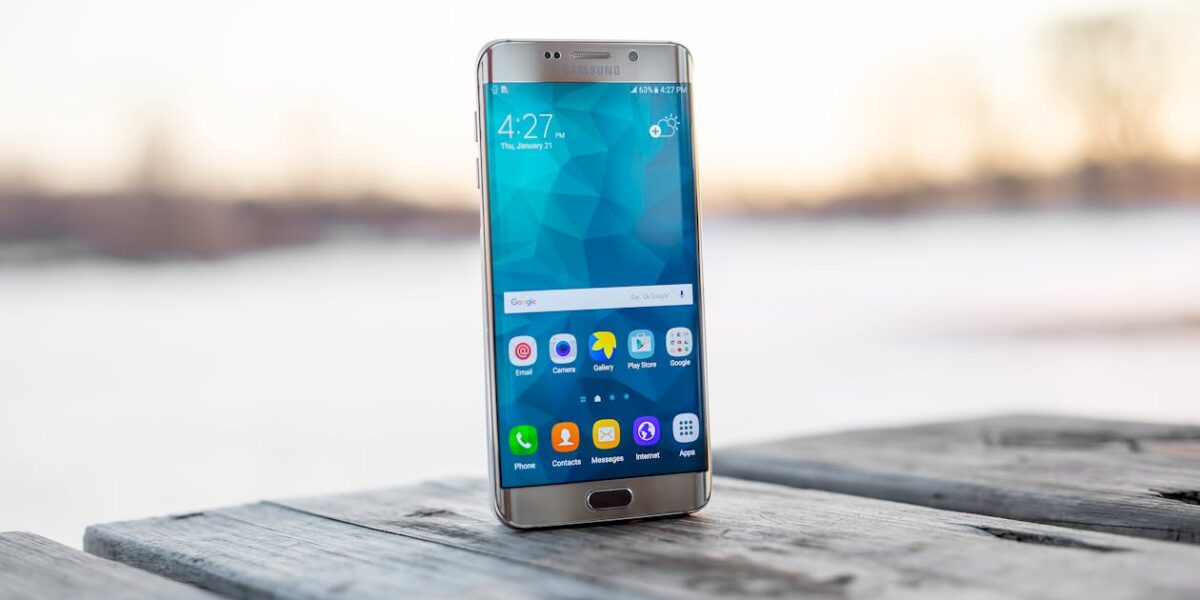
Android 16 — released on 10 June 2025 and now the stable operating system powering hundreds of millions of devices worldwide — is the most ambitious Android release since Android 5.0 Lollipop introduced Material Design over a decade ago. This is not an incremental update. Android 16 integrates Gemini AI at the operating system level, ships a completely redesigned visual language called Material 3 Expressive, and lays the architectural foundations that app and game developers will be building on for the next several years.
Whether you are a user curious about what your device has received, a business evaluating what Android 16 means for your applications, or a developer planning your next project, this guide covers everything — the features, what changed under the hood, which devices got the update, what Android 17 brings next, and how professional Android development support can help you take advantage of every capability Android 16 puts on the table.
- Official release: June 10, 2025
- Latest stable build: 16.0.0_r4 (December 2025)
- Kernel: Linux 6.12
- Preceded by: Android 15
- Followed by: Android 17 (beta — stable expected June 2026)
- First OEM after Google: Samsung Galaxy S25 series with One UI 8
- Headline features: Gemini AI, Material 3 Expressive, Live Updates, APV codec, Health Records API, Predictive Back
1. Gemini AI — Deeply Integrated, Not Just a Chatbot
The single most significant change in Android 16 is not a UI refresh or a new API — it is the deep system-level integration of Google Gemini AI. Previous Android versions offered Google Assistant as a voice-activated assistant sitting alongside the OS. Android 16 is different: Gemini is woven into the operating system’s architecture as a cognitive layer that operates continuously in the background.
What this means in practice for users:
- Real-time translation — Gemini can translate live phone conversations, video calls, and text on-screen across dozens of languages without switching apps
- In-app contextual assistance — Gemini reads what is on your screen and offers relevant assistance without you asking. Looking at a restaurant? It can show reviews, menus, and opening hours. Reading a document? It can summarise it.
- Smart photo and image editing — Magic erase, background replacement, and image blur directly powered by Gemini’s multimodal understanding
- AI-organised email and photos — Automatic categorisation, de-duplication, and smart album creation without cloud upload requirements on supported Pixel devices
- Generative image creation — Describe what you want and Gemini creates it using Google’s AI image generation model, available across multiple artistic styles
- Deep research — Ask a complex question and Gemini gathers, analyses, and organises information into a structured report — free users get several uses per day
For developers, Android 16 exposes Gemini APIs that let apps integrate Gemini’s multimodal understanding without building their own AI backend. Apps can use Gemini for smarter recommendations, customer support automation, content summarisation, or natural-language interactions — all running through Google’s infrastructure with minimal integration code.
2. Material 3 Expressive — A New Design Language
Material 3 Expressive is the most significant redesign of Android’s visual language since Material Design launched in 2014. Where Material 3 (which shipped with Android 12) introduced dynamic colour extracted from wallpapers, Material 3 Expressive goes significantly further: it introduces physics-based animations, deeply responsive UI elements that react to touch with realistic spring and momentum effects, and a design vocabulary built around emotional connection rather than flat utility.
Key design changes in Material 3 Expressive:
- Fluid animations everywhere — Buttons, cards, and menus respond to touch with spring physics. Pull a notification and the list compresses and expands with inertia. Swipe a card and it resists then snaps. These are not cosmetic — they communicate state and responsiveness through physical metaphor.
- Expanded theming — Users can now choose from expanded colour palettes and theme styles, adapting the entire OS appearance. Many OEMs including OnePlus, Honor, Xiaomi, and OPPO have already adopted frosted glass and semi-transparent UI treatments in their Android 16 skins.
- Redesigned system UI — Notification shade, quick settings panel, and recent apps view all receive redesigned layouts with more visual hierarchy and better information density
- Large screen optimisation — On foldables and tablets, Material 3 Expressive introduces adaptive layouts that reflow naturally between folded, partially-folded, and unfolded states — eliminating the stretched phone-UI problem that has plagued Android tablets for years
For businesses, this matters directly: apps that have not been updated to Material 3 Expressive will look visually out of place on Android 16 devices, particularly for enterprise clients who have upgraded their Pixel or Samsung devices.
3. Live Updates — Dynamic Lock Screen and Status Bar
Live Updates is Android 16’s answer to Dynamic Island on iOS — but implemented as a system-level API available to all developers, not a hardware-specific feature. Live Updates allow apps to surface real-time, continuously-updating information on the lock screen, notification shade, and status bar simultaneously without the user opening the app.
The use cases are substantial:
- A ride-hailing app showing driver location and ETA updating every 10 seconds on the lock screen
- A food delivery app displaying live order status from “preparing” to “on the way” to “arriving”
- A sports app showing a live score that updates as goals are scored
- A navigation app displaying the next turn instruction on the lock screen while music plays
At Google I/O 2026, Google expanded Live Updates with a Metric Style notification template — allowing health, fitness, and travel apps to display up to three simultaneous data points (pace + heart rate + distance, for example) across the lock screen, Always-On Display, and status bar at once. All major OEMs including Samsung, OnePlus, vivo, and Xiaomi have committed to supporting Live Updates in their UI skins.
4. Health Records API — EHR Support
Android 16 introduces a standardised Electronic Health Record (EHR) API designed with privacy-first architecture. Apps can now connect to health record systems, display structured medical data, and — with explicit user consent — share records between healthcare providers and personal health applications.
The EHR API supports the FHIR (Fast Healthcare Interoperability Resources) standard, making it compatible with hospital systems across the United States, UK, European Union, and Gulf region. For healthcare apps, fitness platforms, insurance applications, and enterprise wellness programmes, this is a foundational change: structured health data can now flow through Android applications with proper consent management and audit trails built into the OS.
5. Predictive Back — A Navigation Overhaul
Android 16 completes the transition to Predictive Back, which fundamentally changes how the back gesture works. Instead of immediately executing the back action on swipe, Android 16 shows a preview of where you are going before you release your finger — whether that is the previous screen within the app, the home screen, or a different app entirely.
This has significant UX implications for app developers. Apps that have not implemented the Predictive Back API will fall back to the old behaviour on Android 16 but will be required to support it on Android 17 (where it becomes mandatory). Users on fully-updated apps experience a navigation model that is both more informative and less error-prone — accidentally pressing back no longer means losing your place in an app without warning.
6. Adaptive Refresh Rate (ARR)
Android 15 introduced Adaptive Refresh Rate as a concept; Android 16 makes it accessible to all developers through expanded APIs. ARR enables a display to automatically match its refresh rate to the content being shown — dropping to 1Hz for a static document, scaling to 60Hz for standard scrolling, and jumping to 120Hz for smooth animations or gaming — all without the jarring mode-switch flicker that older implementations produced.
For game developers, this is meaningful: games can now signal their target frame rate to the OS, and the display adapts accordingly. A turn-based strategy game running at 30fps stops wasting battery on a 120Hz display. An action game at 60fps gets smooth rendering without forcing the display to cycle through modes. The battery savings on high-refresh-rate devices are substantial for non-gaming use cases.
7. APV Codec — Professional Video on Mobile
Android 16 introduces native support for the APV (Advanced Professional Video) codec with the APV 422-10 profile — providing YUV422 colour sampling, 10-bit encoding, and target bitrates of up to 2 Gbps. APV delivers perceptually lossless video quality using approximately 20% less storage than conventional professional video formats.
This is targeted at professional video applications — recording, editing, and colour grading workflows on Android devices. For app developers building media tools, the APV codec opens the door to genuinely professional video capture that was previously only achievable on dedicated cinema cameras.
8. Security and Privacy Upgrades
Android 16 includes several security improvements that enterprise and regulated-industry app developers need to understand:
- Theft Detection Lock — Uses on-device AI to detect phone-snatching motion patterns and automatically locks the device. No cloud connection required.
- Private Space — A separate, encrypted container for sensitive apps (banking, health, work communications) that can be locked independently from the main device. Apps in Private Space are invisible to the main OS.
- Enhanced permission granularity — Android 16 introduces one-time permissions for more sensor types and tighter scoping for location, contacts, and media access
- Credential Manager updates — Passkey support fully matured; apps integrating Credential Manager can offer passwordless authentication across all Android 16 devices without per-device configuration
- Security patch cadence — Google moved to a monthly security patch schedule with quarterly feature drops (QPR), meaning the December 2025 QPR1 delivered additional security improvements on top of the June release
9. Large Screen and Foldable Improvements
Android 16 takes the strongest position yet on large-screen device support. Apps that restrict screen orientation or prevent resizing on large-screen devices (tablets, foldables, Chromebooks) are now shown a compatibility warning to users. Android 17 will make adaptive layouts mandatory — apps that refuse to reflow will be blocked on large-screen devices.
This is a material deadline for businesses with existing Android apps. Any app that has not been updated for tablet or foldable layouts needs to be updated before Android 17 lands in late 2026, or it will be blocked from running correctly on Samsung’s foldable line, Google Pixel Fold, and the growing market of Android tablets.
10. Device Compatibility — Who Got Android 16
Android 16 has rolled out broadly across the major Android OEMs:
- Google Pixel — Pixel 6 and above received the update starting June 2025. Pixel 9 series first to receive Adaptive Refresh Rate and all Gemini features.
- Samsung — First Android OEM after Google. Galaxy S25 series first, followed by S24, S23, A-series, and compatible tablets. One UI 8 (based on Android 16) rolled out to most eligible Samsung devices by end of 2025.
- OnePlus — OxygenOS 16 (based on Android 16) released for OnePlus 13 via beta in late 2025, stable in early 2026
- OPPO — ColorOS 16 based on Android 16, rolled out globally after Chinese release in November 2025
- Motorola, Xiaomi, Nothing — All received Android 16 updates across flagship and mid-range devices throughout late 2025 and Q1 2026
Android 17 — What Is Coming Next
Android 17 is currently in Beta 3 (as of May 2026) and stable release is expected in June 2026 — following the same cadence as Android 16. Key confirmed changes in Android 17 include:
- Mandatory adaptive layouts — Apps that block resizing on large screens will be rejected from devices
- Predictive Back mandatory — Apps must implement the Predictive Back API; the compatibility fallback is removed
- Gemini Flow multi-agent — Announced at Google I/O 2026, Gemini Flow gains the ability to run multiple AI agents simultaneously — one prompt can spawn 16 parallel sub-tasks, each handled by a separate agent
- Android XR integration — Android 17 is the first release with first-class XR support, preparing the platform for Google and Samsung’s forthcoming mixed-reality headsets and the new Android-powered AI glasses announced at Google I/O 2026
- Android Canary builds — Google replaced Developer Previews with a Canary release channel, providing a more continuous pipeline of experimental builds for developers year-round
- Wear OS 7 — Live Updates coming to smartwatches; Gemini Intelligence on supported Wear OS 7 devices
What Android 16 Means for App and Game Developers
Android 16 is not a passive upgrade that developers can ignore. It has several features with active deadlines and compliance requirements:
- Implement Predictive Back now — mandatory in Android 17, and user experience degrades visibly on Android 16 without it
- Audit large-screen layouts — Android 17 deadline for adaptive layout compliance is approaching fast
- Evaluate Gemini API integration — apps that integrate contextual AI assistance will have a significant UX advantage over those that do not in the next 12–24 months
- Adopt Material 3 Expressive — apps built on older Material versions will look dated on Android 16 devices, particularly for enterprise clients and B2B apps
- Test on Pixel and Samsung foldables — two of the three largest Android device categories that Android 16 targets hardest
How Visit To Me Supports Android App & Game Development
Building a high-quality Android application or game in 2026 requires more than writing Kotlin. It requires architecture that scales, design that meets Material 3 Expressive standards, Gemini AI integration done properly, and performance profiling across the full range of Android 16 devices — from budget phones to foldables.
Visit To Me supports businesses, startups, and individuals building for Android across the full development lifecycle:
📱 Android App Development
Native Android apps built in Kotlin with Jetpack Compose, Material 3 Expressive design, full Android 16 compatibility, and Predictive Back and Live Updates implementation from day one.
🎮 Android Game Development
Mobile game development using Unity and native Android Game Development Kit — optimised for Adaptive Refresh Rate, low-latency input, and thermal management on flagship and mid-range devices.
🤖 Gemini AI Integration
Integrate Google Gemini’s multimodal AI into your Android app — conversational interfaces, real-time translation, contextual assistance, and AI-powered recommendations using Android 16’s Gemini APIs.
🔄 App Migration & Modernisation
Existing Android apps updated for Android 16 compliance — Predictive Back implementation, large-screen adaptive layouts, Material 3 migration, and 64-bit compliance for Play Store requirements.
🏢 Enterprise Android Apps
Business-grade Android applications with Android Enterprise integration, Private Space support, Credential Manager / passkey authentication, and EHR API integration for healthcare clients.
📊 Performance & Play Store Optimisation
App performance auditing, Play Store listing optimisation (ASO), crash rate analysis via Android Vitals, battery usage profiling, and startup time optimisation for better Play Store ranking.
All Android development engagements follow the same approach as our other IT services: a free scoping call, a fixed-price proposal within 24 hours, and delivery with full documentation. No hourly billing. No open-ended projects.
Whether you need a new app built from scratch, an existing app updated for Android 16 compliance, or a game optimised for the latest Android Game Development Kit — we scope it, quote it, and deliver it at a fixed price.
Android App & Game Development
Build for Android 16 — the right way
Fixed-price quotes for Android apps, games, Gemini AI integration, and Material 3 Expressive redesigns. Response within 24 hours.
📍 Riyadh, Saudi Arabia · 🌍 Remote worldwide · ⏰ 24h response



Leave a Reply